
Workflow designer
The designer provides visual orchestration with node wiring, property configuration and run logs on one screen.
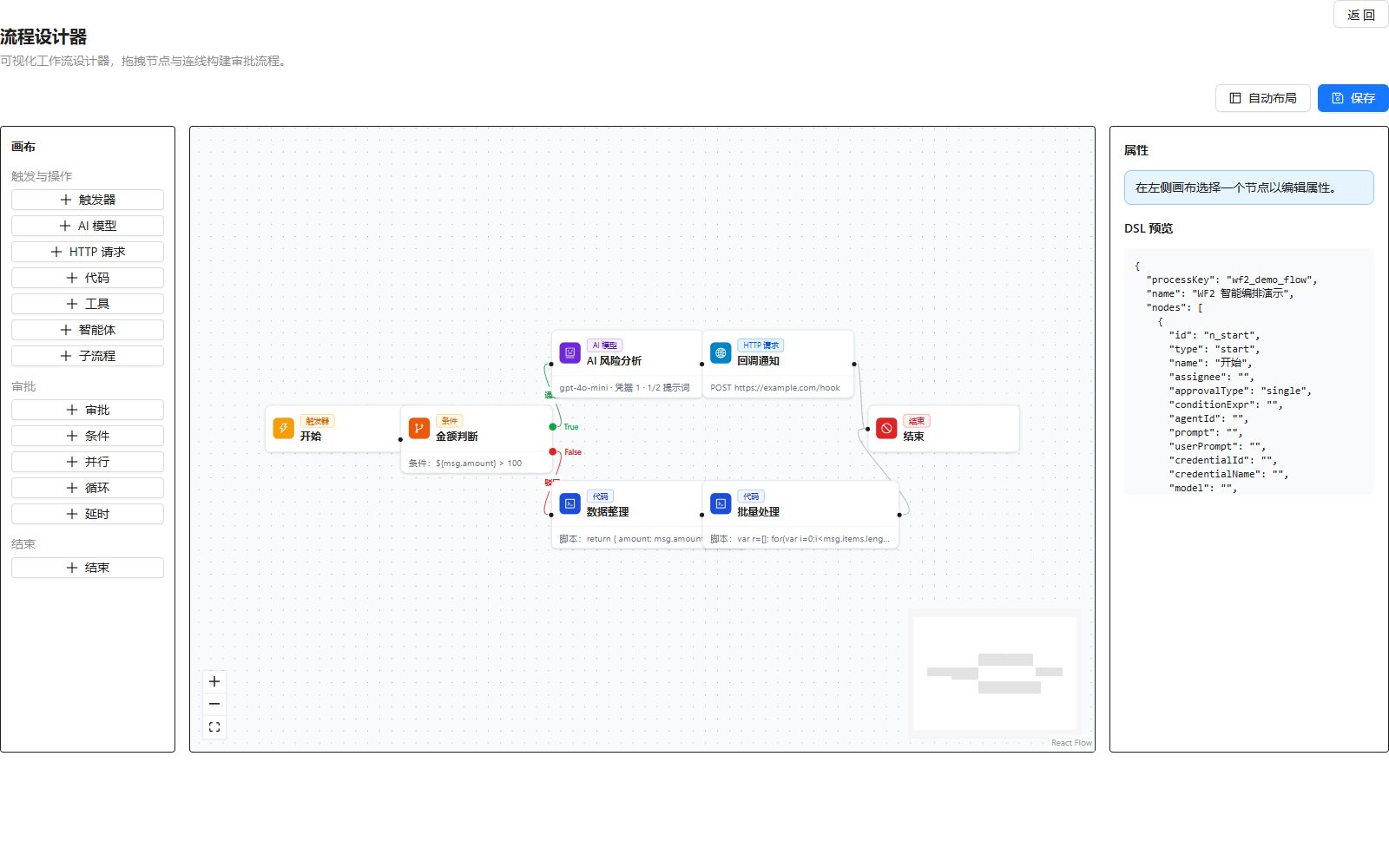
Interface
| Area | Purpose |
|---|---|
| Node palette | Drag in start, condition, HTTP, code and AI nodes |
| Canvas | Wire nodes, auto layout, zoom |
| Property panel | Configure the selected node |
| Run log | Inspect preview output |
Orchestration
- Drag nodes from the palette onto the canvas
- Wire them in order, starting from the start node
- Select a node and fill in its parameters on the right
- Use auto layout to tidy node positions
- Preview to verify output
Supported nodes
- Start and end
- Conditional branches
- HTTP requests restricted to public addresses
- Code with a 2-second limit and 64KB output cap
- AI model nodes, see AI model node
DSL synchronization
The designer converts to and from DSL text bidirectionally. Saving validates node types and edges, filtering invalid ones. HTTP URLs are checked at save and run time, blocking internal and cloud metadata addresses.